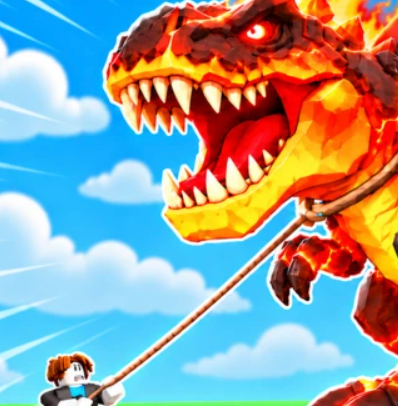
 Ride a Dino
How to Tame Dinos in Ride a Dino
To tame dinos in Ride a Dino, train Grip on Dino Machines, find a dinosaur running through the canyon, jump on and complete the ride, then bring your new dinosaur back to your ranch.
How to Tame Dinosaurs in Ride a Dino: Quick Steps
To tame dinos in Ride a Dino, train Grip on Dino Machines, find a dinosaur running through the canyon, jump on and complete the ride, then bring your new dinosaur back to your ranch.
Ride a Dino by and Catch Them All is a Roblox game about riding and taming more than 50 dinosaur species. The description puts Dino Machines and Grip training at the start of progression, then invites you to leap onto a stampeding dinosaur and ride through the canyon. Once you tame one, you can take it home and improve ranch pens.
The best way to start is to select a dinosaur suitable for the Grip available to you. Read the live riding prompt and any target requirement on the screen. Approach the animal you want to tame, jump onto it when the game offers the interaction, and follow the prompts through the ride. When the attempt ends, check that the new dinosaur has been added before turning your attention to ranch upgrades.
Desktop, console, mobile and tablet are all listed as supported. Because the exact buttons can vary by platform and updates, follow the instruction shown by your current game rather than assuming the same shortcut works on every device. The steps below explain the taming process and the decisions around it.
| Step | What to do | What to look for |
|---|---|---|
| 1. Build Grip | Train on Dino Machines | Grip value or progress on your current screen |
| 2. Find a target | Travel to a canyon or era with roaming dinosaurs | Dinosaur name, rarity and any displayed requirement |
| 3. Mount and ride | Jump onto the dinosaur and follow the game's input prompts | Live feedback during the ride |
| 4. Finish taming | Complete the interaction rather than stopping halfway | Success or collection-state feedback |
| 5. Return home | Bring the tamed dinosaur to the ranch | Animal shown in the relevant ranch/collection view |
| 6. Upgrade | Review pens and your current cash | Available pen upgrade and its displayed benefit |
Step-by-Step Ride a Dino Taming Walkthrough
This order follows the publicly described Ride a Dino progression and turns it into a repeatable beginner plan. It does not rely on an exploit or third-party tool. If the game currently uses a timed button sequence, a progress indicator or a different interaction for a specific creature, its live prompt should take priority over a static article.
For your first ride, choose a target whose visible requirements you can meet. A difficult Divine or occasional Secret Dino may be an exciting objective, but training and learning the riding prompts are a better starting point than spending repeated attempts on an inaccessible target.
After bringing the dinosaur home, check what changed. Did the game show a new collected species? Is there a pen available? Can you now afford an upgrade? The ranch and dinosaur list guides cover these separate progression decisions in more detail.
- Train Grip with Dino Machines
Start with the game's Grip-training machines. Compare the Grip shown before and after a training session, particularly if you struggled with your last ride.
- Explore and locate the dinosaur
Look for a dinosaur stampeding through the canyon or roaming in the eras currently open to you. Read any name, rarity and visible requirement.
- Jump onto your chosen dinosaur
Move into position and use the actual on-screen interaction prompt to jump on or start the ride. Don't substitute controls from a different Roblox title.
- Stay on and complete the ride
Respond to the instructions displayed during the ride. A partially completed attempt is not the same as a dinosaur successfully tamed.
- Confirm the tame
Look for a completion indicator or new entry in the collection/ranch view after the attempt. Keep the dinosaur's displayed name for reference.
- Return to the ranch
Bring your newly tamed dinosaur home, inspect the pen options, and use cash earned during riding to consider the next upgrade.
Grip Requirements: Why You Cannot Tame a Dino
Grip is an important part of Ride a Dino because the developer specifically says Dino Machines build it before you ride dinosaurs. Community Ride a Dino tools describe skipping dinosaurs above the player's current Grip, which reflects a practical player concern: targeting a dinosaur that is too difficult for your current progression.
Before a ride, pay attention to the Grip you have and any target-specific requirement the game currently displays. If the target is too difficult, return to a Dino Machine, finish a training session, and compare your updated Grip. Then try a more manageable dinosaur or come back to the harder target later.
A failed ride has more than one possible explanation. You may not have completed the interaction prompt, you may have jumped at the wrong time, or the target may require further progression. Use the feedback actually shown rather than assuming every failure is caused by a single threshold. A good retry changes one thing at a time so you know what improved your result.
You do not need to purchase a pen upgrade to learn how to perform the ride. Pens help manage the ranch after collecting dinosaurs, while Dino Machines are the advertised training feature. Keeping those systems separate makes a beginner route much clearer.
| Problem | Next action |
|---|---|
| A target looks too difficult | Check visible Grip requirements and return to Dino Machines |
| The ride doesn't start | Read and follow the current mount or jump interaction |
| You fall or fail mid-ride | Review the in-game feedback and practice with a more accessible target |
| The dino doesn't appear at the ranch | Confirm completion and inspect the collection/ranch interface |
| Pens are full or locked | Read the live pen options and upgrade requirements |
| Another guide mentions eggs and mutations | Check that the guide is for and Catch Them All, not the other Ride a Dino |
How to Tame Rare, Divine and Secret Dinos
Ride a Dino advertises more than 50 species with rarities from Common to Divine. For beginners, the most useful sequence is to learn the riding mechanic on an achievable target, train Grip, then gradually challenge dinosaurs with more demanding on-screen requirements. A rarer label does not tell you the exact control sequence or a universal success percentage.
Divine dinosaurs sit at the top of the advertised rarity range. When you spot a Divine target, inspect its displayed requirements before trying the ride. If you're not ready, make a note of where you saw it and focus on getting stronger. This gives you a clear progression goal without repeatedly losing attempts to a difficult target.
The developer also mentions occasional Secret Dinos. They are a reason to keep exploring the game's eras, including Plains, Desert, Jungle, Snow and Volcano. You should not assume a fixed Secret spawn timer or a guaranteed location from a generic Roblox dinosaur guide, because that can refer to a different game.
A specific-dinosaur search, such as Triceratops, Ankylosaurus or Pachycephalosaurus, is best treated as a collecting objective. These names appear in third-party coverage; compare their actual rarity and Grip needs inside Ride a Dino before deciding which one to tame next. Use the dinosaur list guide for the collection view, and this page for the riding steps.
How to Get Better at Taming Dinos
When looking for a faster way to tame dinosaurs, focus on completed attempts per session rather than counting every jump. An achievable target, sufficient Grip and understanding the current prompt can produce more collection progress than repeatedly chasing the rarest visible dinosaur.
Keep a simple record of what worked: target, area, Grip before the attempt and whether the dinosaur entered your collection. You can use that to plan your next session, especially after an update changes what appears on screen.
Practice a consistent approach
Read the on-screen riding prompt before moving into a new target. Try to repeat an approach that starts the ride reliably rather than changing targets, controls and training all at once. When you can complete one ride, move to a more challenging target.
Build Grip between attempts
Dino Machines are a progression feature, so returning to them when a target is difficult is consistent with the game's described loop. If a Grip display is visible, observe its change after training. That provides a clearer next decision than relying on a number quoted from another game.
Choose a goal for the session
A collecting session is different from a cash or pen-upgrade session. For collection progress, target a dinosaur not already on your ranch. For cash progression, complete a riding session and review your current balance. For rare hunting, explore available eras and be ready for Secret Dinos.
Use the dinosaur's displayed information
If the game shows a creature name, rarity or requirement, use that information to pick the next attempt. Third-party tools sometimes advertise rarity filters or a 'skip above my Grip' option, but those are not guaranteed built-in controls and are not needed to play normally.
What to Do After You Tame a Dinosaur
The developer says to bring tamed dinosaurs home to the ranch, upgrade pens and earn cash while riding. After a successful tame, inspect the current ranch interface for the dinosaur you just obtained. The species name is important when you're collecting 50+ animals; the pen or storage state matters when your ranch is developing.
Check the next available pen upgrade and whether it helps your immediate need. A guide promising a fixed income-per-second rate or exact best pen without a current game capture can be misleading. Instead, use the costs and benefits displayed by your current ranch.
If you want to keep exploring, go back to an era with dinosaurs you haven't collected. If a target consistently defeats you, spend another session improving Grip. If you spot a Secret Dino, note the circumstances and compare your available training to any requirement shown. This closes the core training, taming and ranch loop.
Ride a Dino vs the Other Roblox Game with the Same Name
There are two different Roblox experiences called Ride a Dino. This guide is for the one by and Catch Them All, using Place ID 93523763376122 and Universe ID 10758824872. It features Dino Machines, Grip, canyon riding, tameable dinosaurs and a ranch.
Another experience by Dino Riders! uses Place ID 131652231424227 and describes discovering dinosaur eggs, hatching new mounts, improving speed and mutations. If a walkthrough asks you to search for eggs, improve egg rarity or mutate speed, it likely describes the other game rather than the Grip-based taming experience here.
Checking the developer before following a taming tutorial prevents wasting time on controls and mechanics that are not part of the game you are actually playing. It also helps when community sites share the same dinosaur species names across multiple games.
Ride a Dino Taming Guide Sources
Main gameplay and game identity: https://www.roblox.com/games/93523763376122/Ride-a-Dino, the Roblox listing for Ride a Dino by and Catch Them All, reviewed October 18, 2026. It establishes Dino Machines, Grip, stampeding canyon rides, taming 50+ species, ranch pens and occasional Secret Dinos.
The community overview at https://scriptsrbx.com/ride-a-dino-script/ mentions particular dinosaur names, rarity selection and skipping targets above current Grip in an external tool. This guide uses those as clues to common player questions, not as a recommendation to run an executor or as proof that any external automation is an official in-game feature.
FAQ
How do you tame dinos in Ride a Dino Roblox? Train Grip at Dino Machines, find a dinosaur in the canyon or an available era, jump on it, follow the ride prompts, complete the tame and return the dinosaur to your ranch.
How much Grip do I need to tame a dinosaur? Requirements depend on the target and the current game. Compare your displayed Grip with any requirement the game shows; return to Dino Machines if the dinosaur is too difficult.
Why can't I tame a dinosaur? First check the current riding prompt, your Grip and any on-screen requirements. Practice with an achievable target and confirm the attempt finishes before expecting it in the ranch.
How do I tame rare or Divine dinosaurs? Train enough for the target you choose, watch its current requirement and finish the ride. Divine is the highest rarity named in the developer's public rarity range.
How do I tame a Secret Dino? Secret Dinos are occasional finds. Explore the available eras, watch for an encounter and follow the same riding process when you're able to attempt it.
Can you tame dinosaurs on mobile? The developer lists mobile and tablet as supported. Follow the current touch controls and ride prompts displayed by Roblox rather than relying on desktop-only buttons.
What happens after taming a dinosaur? Bring it to your ranch, verify it appears in your collection and review pen upgrades and cash as you build your dinosaur collection.