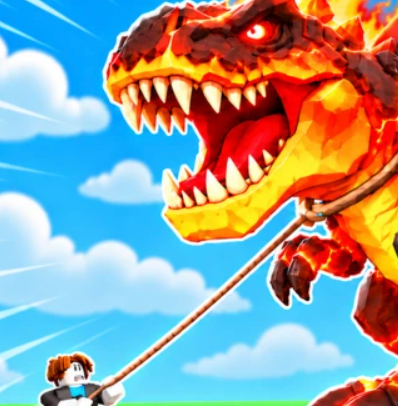
 Ride a Dino
Ride a Dino Grip Training Guide
The developer confirms that Dino Machines build Grip. Check the machine's in-game prompt and compare your current Grip state before and after training, then decide whether to try another dinosaur ride.
How to Train Grip in Ride a Dino
The developer confirms that Dino Machines build Grip. Check the machine's in-game prompt and compare your current Grip state before and after training, then decide whether to try another dinosaur ride.
Ride a Dino by and Catch Them All describes Dino Machines as the way to build up Grip. Grip training is part of the same loop as jumping onto dinosaurs and riding them through the canyon. The official public description does not, however, specify where every machine sits, what buttons to press, how much Grip each action gives or the Grip value needed for each dinosaur.
Open the correct Roblox experience (Place ID 93523763376122), look for the Dino Machine feature in your own game, and read the prompt it actually shows. Record the Grip display before and after a completed training action. A change shown by the game is useful evidence that the interaction worked; without it, don't claim the machine offers a certain number of points.
On desktop, mobile or console, prompts may differ. The developer lists support for all these platforms, but that does not make a keyboard shortcut reliable on every device. Following the live interface is safer than copying a button sequence from another Ride a Dino game.
| Check | What to look for | Why it helps |
|---|---|---|
| Correct experience | Roblox Place ID 93523763376122 | Avoid advice for a different game |
| Dino Machine | Actual in-game label and interaction prompt | Identify the intended training feature |
| Grip display | Current value or visible progress, if shown | Make a before-and-after comparison |
| Training interaction | Completion feedback on your screen | Separate a finished action from an interrupted one |
| Next ride | Any target-specific requirements actually displayed | Decide whether to train again |
What Is Grip in Ride a Dino?
Grip is explicitly named in the developer's explanation of training. The game pairs improving Grip with the act of riding and collecting dinosaurs, so it is a sensible progression target between difficult ride attempts. That connection is public; a detailed rule such as 'every 100 Grip adds 10 seconds' is not.
Do not confuse Grip with movement speed or a pet's hatchable stat. A separate Roblox game called Ride a Dino centers on finding eggs and improving dinosaur speed. The game covered here is by and Catch Them All and its developer describes Dino Machines, eras, a ranch and pens instead.
Players seeking to increase Grip usually have two distinct needs. One is understanding which feature trains it; the answer is Dino Machines. The second is knowing how much to train before attempting a particular dinosaur. That second question can only be answered accurately with current UI requirements or repeatable gameplay observations for that target.
Grip and difficult dinosaur rides
If you cannot complete a ride, check what the game says about your current Grip and target. You may need more training, but failure by itself does not establish a precise requirement. The same attempt could involve controls, timing or a misunderstood on-screen condition. Do not label an unobserved cause as confirmed.
What counts as real Grip progress?
A stat indicator that changes after a completed Dino Machine action is more useful than an unsupported community estimate. A screenshot of the same display before and after helps distinguish a repeatable result from a guess or a different game's mechanic.
Dino Machines: A Training Walkthrough
These are observation-based steps, not invented universal input commands.
The game's public listing establishes the purpose of Dino Machines, but it does not publish a device-by-device action sequence. If you arrive and cannot immediately see a machine, read any available in-game tutorial or interface direction rather than assuming an exact location invented by a wiki. A published route should include a current game screenshot before it becomes a verified instruction.
If a training result seems inconsistent, keep the same conditions as far as possible. Are you using the same machine and the same Grip display? Was the action completed? Were any upgrades or temporary bonuses active? These questions are practical checks; they are not claims that Ride a Dino definitely has particular cooldowns or boosts.
- Identify the training feature
In the game by and Catch Them All, locate the Dino Machine UI or model and read its visible interaction prompt. Confirm you are not in the other same-name experience.
- Follow the live prompt
Use the input shown by the current device and let the interaction complete. Desktop, tablet, mobile and console need not share the same controls.
- Compare the result
Note the displayed Grip state before and after the interaction. If the screen shows a change, keep that observation for your next ride decision.
How to Increase Grip Efficiently
An efficient training method depends on results you can actually measure. Compare two similar completed attempts with the same available machine and note the progress displayed. If the game shows machine options with different costs, compare those descriptions before spending. Avoid an unverified 'fastest Dino Machine' ranking based on a single undocumented number.
A useful comparison record includes the machine's exact displayed name, the Grip display before training, the Grip display afterward, and a rough count of completed interactions or elapsed time. If only a progress bar is visible, record that rather than inventing a value. Repeat an observation before assuming its result is typical.
Keep cash spending separate from training efficiency. The game's ranch loop also uses cash and upgrades, but the published description gives no machine price list or pen upgrade formula. When comparing options, use the currently displayed offers; an old guide may describe prices that no longer apply.
| Record | Attempt A | Attempt B |
|---|---|---|
| Machine label | Copy visible label | Copy visible label |
| Grip before | From your display | From your display |
| Grip after | From your display | From your display |
| Actions or time | Observed | Observed |
| Upgrade changed? | Note actual change | Note actual change |
Grip Requirements and Failed Rides
There is no official per-dinosaur Grip requirement chart in the developer's public listing. A requirement claimed by another site might be useful only if accompanied by the correct game's actual interface and a date. Dinosaur rarity alone is not enough to calculate a number from the Common-to-Divine range.
When an attempt fails, ask first whether the intended ride began and what instructions appeared. Next, check for any visible stat requirement and your current training state. Finally, distinguish successful riding from successful taming: the developer's game loop includes collecting dinosaurs and bringing them to the ranch, so completing one interaction does not automatically prove the entire cycle is finished.
Treat this as a decision path, not a claim about hidden failure codes: if the game explicitly displays a higher requirement, train and compare again; if the prompt was not completed, follow it as displayed; if the ride was completed but the collection is not visible, inspect the ranch rather than adding an unsupported Grip threshold.
When to Train Again and What to Do Next
Training matters because the developer places Dino Machines and Grip before riding and collecting. The point at which a specific player can attempt a more difficult dinosaur is not stated publicly, so a single threshold for every player would be misleading. Use visible target information and recent training feedback as your guide.
If you have successfully collected a dinosaur, the next confirmed part of the official loop is bringing it home and considering ranch pens. The separate ranch page addresses pen decisions and cash observations rather than repeating the Dino Machine guide. If you are still exploring, the home guide covers the nine-era scope and the developer's 50+ species claim.
Official Grip Source
Source: the official Roblox game page for Ride a Dino by and Catch Them All, https://www.roblox.com/games/93523763376122/Ride-a-Dino, checked October 18, 2026. It explicitly says to train on Dino Machines to build Grip, and describes riding dinosaurs across a canyon.
This guide gives confirmed high-level mechanics and a repeatable way to inspect your own training. It does not present guessed machine levels, in-game buttons, bonus percentages or requirements as facts. For the game overview, return to the Ride a Dino wiki home page.
FAQ
How do I train Grip in Ride a Dino? The developer says Dino Machines build Grip. Find the training feature in the correct Roblox experience and follow the live on-screen prompt for your device.
Where is the fastest Dino Machine? An exact best-machine location or gain rate is not published in the official description. Compare actual visible training results before relying on a ranking.
Why can't I tame a dinosaur after training? Check the current riding prompt and any requirements the game displays. Failure alone doesn't establish an exact Grip threshold or a specific hidden mechanic.
Does Grip training work on mobile? The developer lists mobile among supported platforms. Mobile controls should be read from the current game screen rather than copied from a desktop walkthrough.
Does the ranch increase Grip? The developer specifically names Dino Machines for Grip training. The ranch is associated with bringing dinosaurs home, pens and earning cash while riding.